


Download and install JPEG2PDF
Linux — Snap
sudo snap install jpg2pdfLinux — Flatpak
flatpak install flathub com.warlordsoftwares.jpeg2pdfRun from source
git clone https://github.com/rishabh3354/JPG2PDF.git
cd JPG2PDF
pip install -r req.txt
python3 src/jpg2pdf.py
The application is MIT licensed — see the repository.
Features
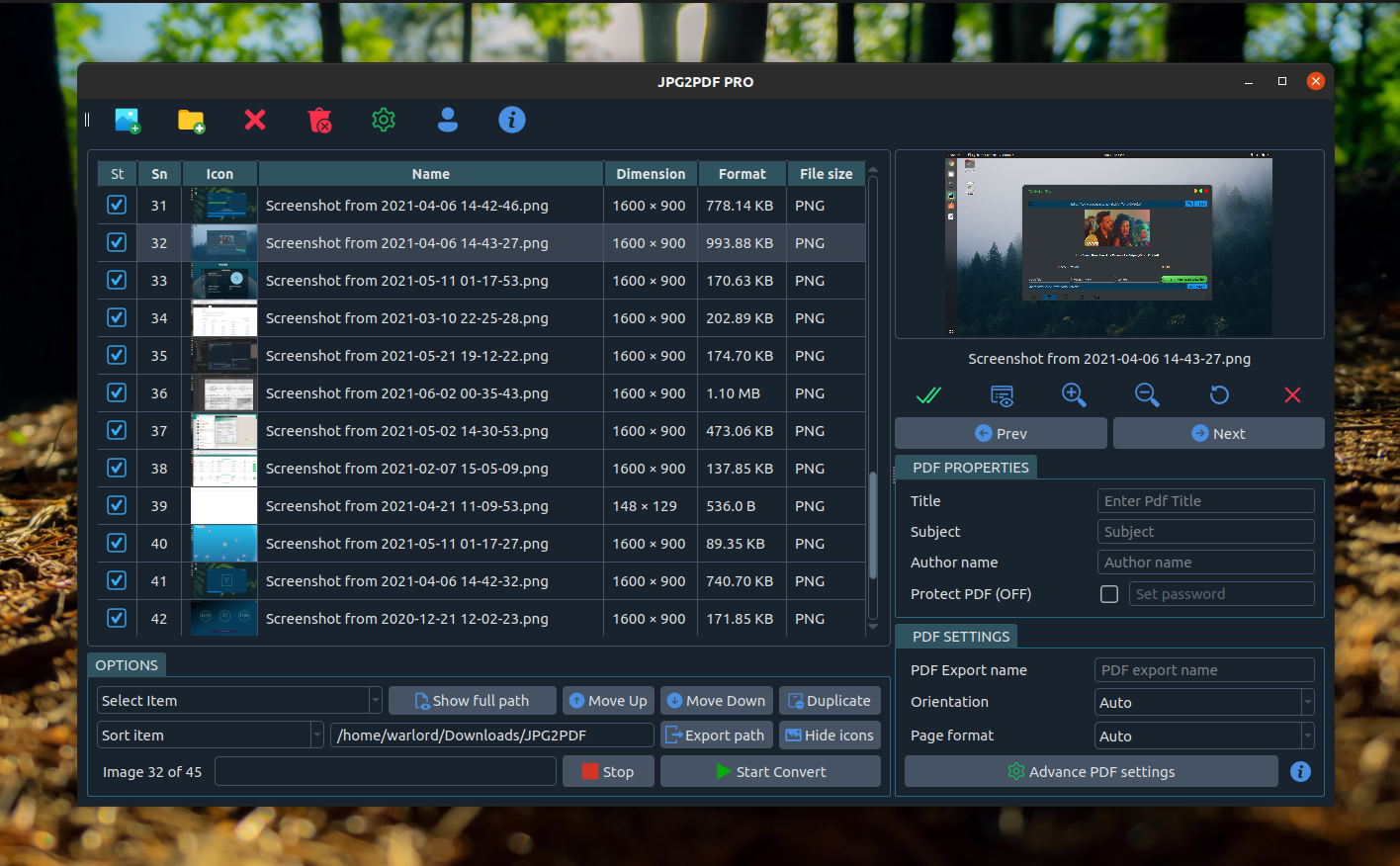
Batch conversion
Turn a whole folder of images into PDFs in a single run.
One PDF or many
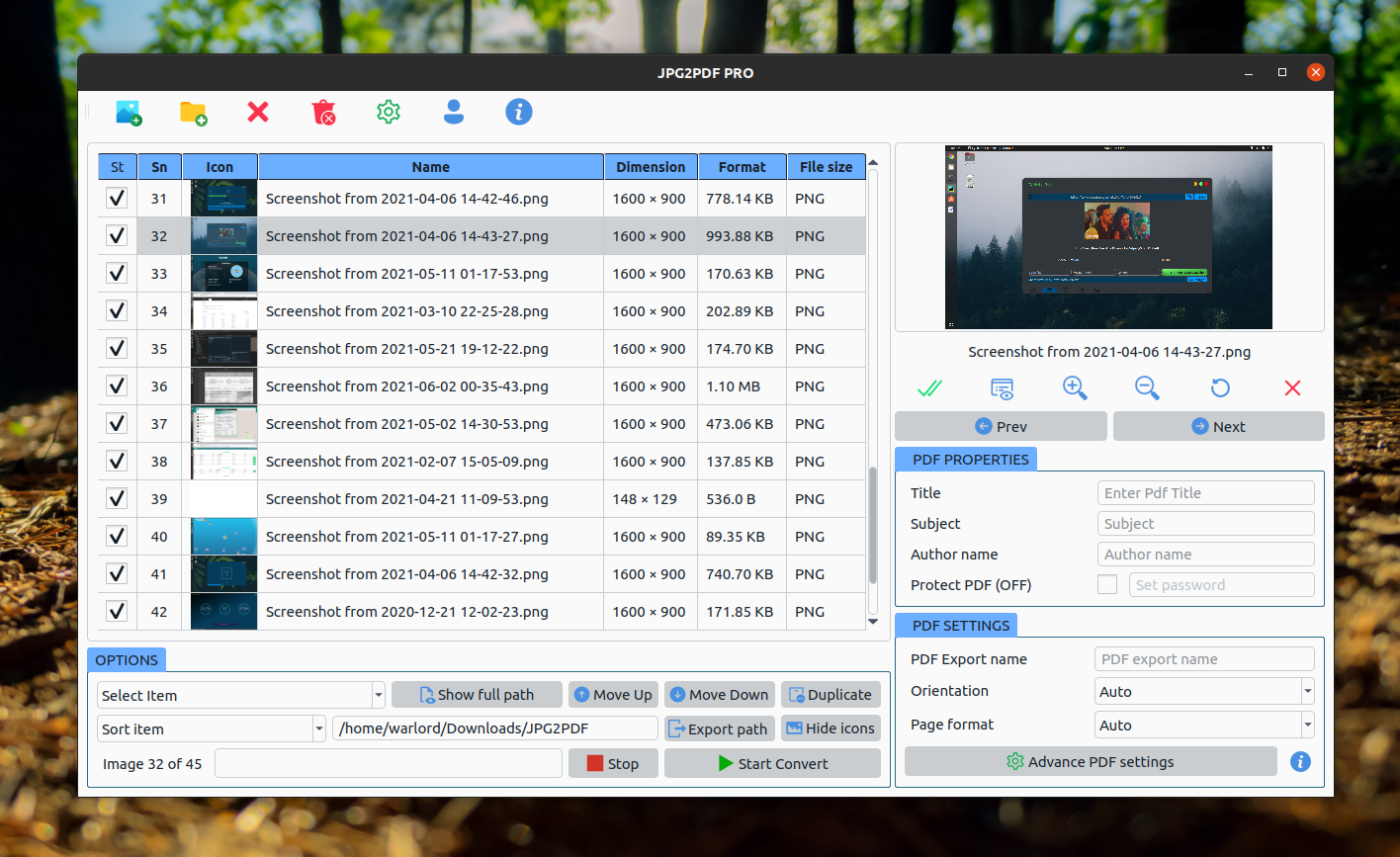
Merge every image into one document, or export one PDF per image.
Reorder before export
Move images up and down, duplicate them, or sort the queue.
Page sizes and margins
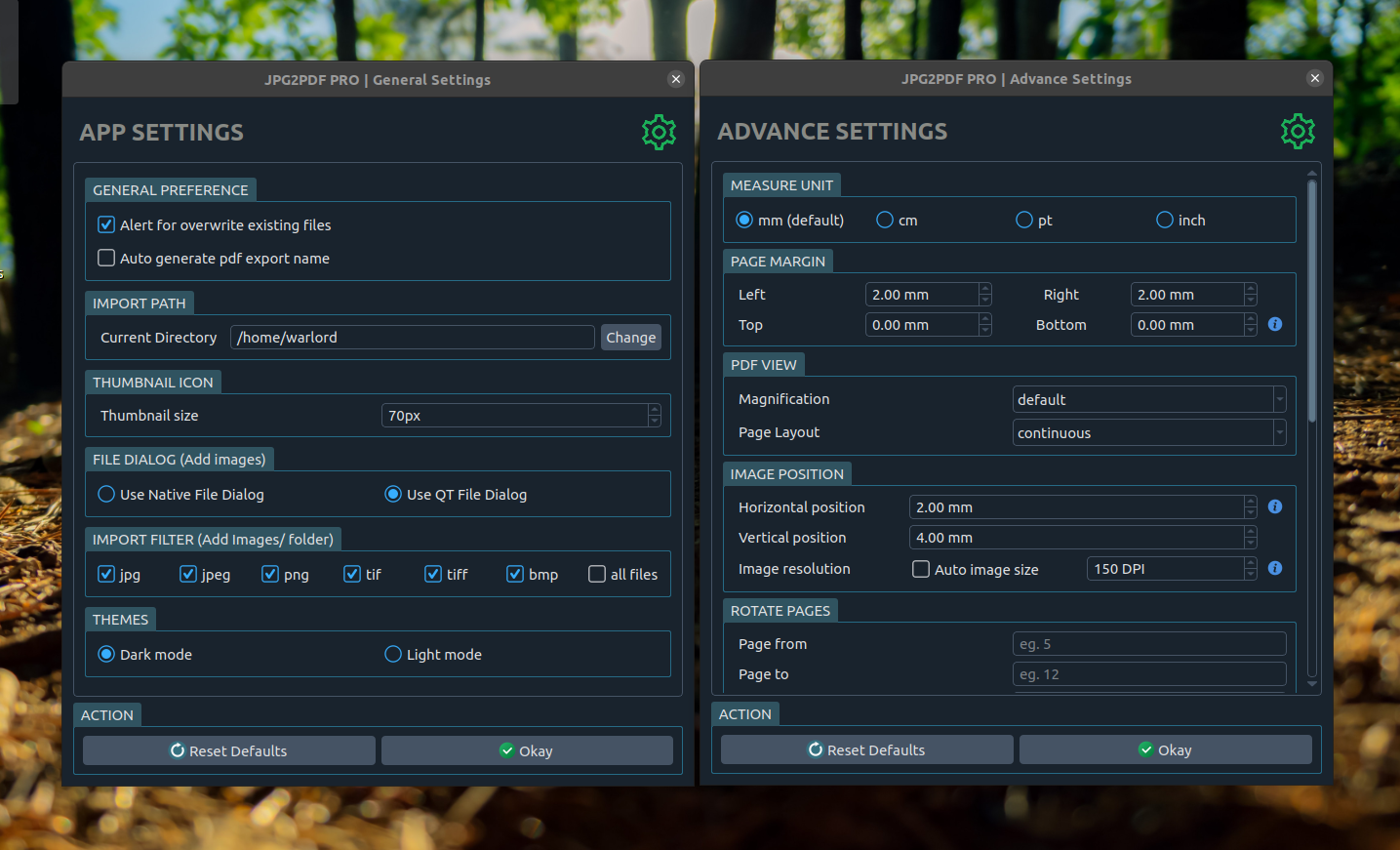
A4, A3, A5, Letter, Legal and more, with margins in mm, cm, pt or inches.
Custom DPI
Pick the image resolution that suits print or screen.
Rotate images and pages
Rotate individual images, or a page range in the output PDF.
AES-256 encryption
Password-protect the resulting PDF.
Page numbering
Automatic page numbers with configurable fonts and styles.
Grayscale output
Convert to grayscale or black and white to shrink scans.
PDF metadata
Set the title, subject and author on the exported document.
Drag and drop
Drop images straight onto the window, with a live zoomable preview.
Fully offline
No upload, no file-size limit, no watermark, no ads.
Supported image formats
- Photos
- JPG · JPEG · PNG · WebP
- Scans & documents
- TIFF · TIF · BMP · GIF
- Vector
- SVG
- Also
- Any other format readable by Pillow
Common tasks
| Task | What JPEG2PDF does |
|---|---|
| Convert JPG to PDF | Drop the images in and export — one click. |
| Merge images into one PDF | Queue them, reorder, export as a single document. |
| Convert a scanned document | Auto orientation and DPI control for readable scans. |
| Convert PNG to PDF | Transparency is flattened onto the page. |
| Convert TIFF to PDF | Mixed-format queues need no conversion step first. |
| Password protect a PDF | Enable Protect PDF and set an AES-256 password. |
| Make a grayscale PDF | Shrink scans and photos with grayscale output. |
| Add page numbers | Enable numbering and pick the font and style. |
| Set A4 or Letter size | Choose the page format, or leave it on Auto. |
| Convert a whole folder | Add folder, then Start Convert. |
Screenshots
Frequently asked questions
Is JPEG2PDF free?
Yes. It is free to install from Flathub and the Snap Store, and the source is MIT licensed.
Does it upload my images anywhere?
No. All conversion happens locally on your machine. There is no upload, no account and no file-size limit, which matters if you are converting scanned IDs, contracts or medical records.
Can it merge several images into one PDF?
Yes. Add all the images, reorder them however you like, and export a single PDF. You can also export one PDF per image.
Can it password protect the PDF?
Yes, with AES-256 encryption. Set the password before exporting.
What image formats does it support?
JPG, JPEG, PNG, BMP, GIF, TIFF, SVG and WebP, plus other formats Pillow can read.
Can I control page size and margins?
Yes — A4, A3, A5, Letter, Legal and more, with margins and image position configurable in mm, cm, pt or inches, and a custom DPI setting.
Is it available for Windows or macOS?
Not currently. The packaged builds are Linux only. The source is Python and PyQt5, so it may run elsewhere, but that is untested and unsupported.
Can I contribute?
Yes. It is MIT licensed — open an issue or a pull request on GitHub.
Other apps by Warlord Softwares
| App | What it does |
|---|---|
| FormatLab | Video & Audio Converter for Linux and Windows |
| 4KTUBE | YouTube Downloader for Linux and Windows |
| 4KWALL | Wallpaper Manager & Auto Wallpaper Changer |
| DL-YouTube | Media Downloader for 1400+ Sites |
| TUBE2GO | One-Click YouTube Downloader with System Monitor |
| PDF2OCR | OCR for Scanned PDFs and Images on Linux |