

Download and install PDF2OCR
Linux — Snap
sudo snap install pdf2goRun from source
git clone https://github.com/rishabh3354/PDF2OCR.git
cd PDF2OCR
python3 src/pdf2go.py
The application is MIT licensed — see the repository.
Features
Tesseract OCR
Accurate text recognition from scans, photos and screenshots.
Scanned PDFs
Extract text from PDF files with an unlimited number of pages.
Images too
JPG, JPEG, PNG, BMP, TIFF, GIF and WebP.
Open from a URL
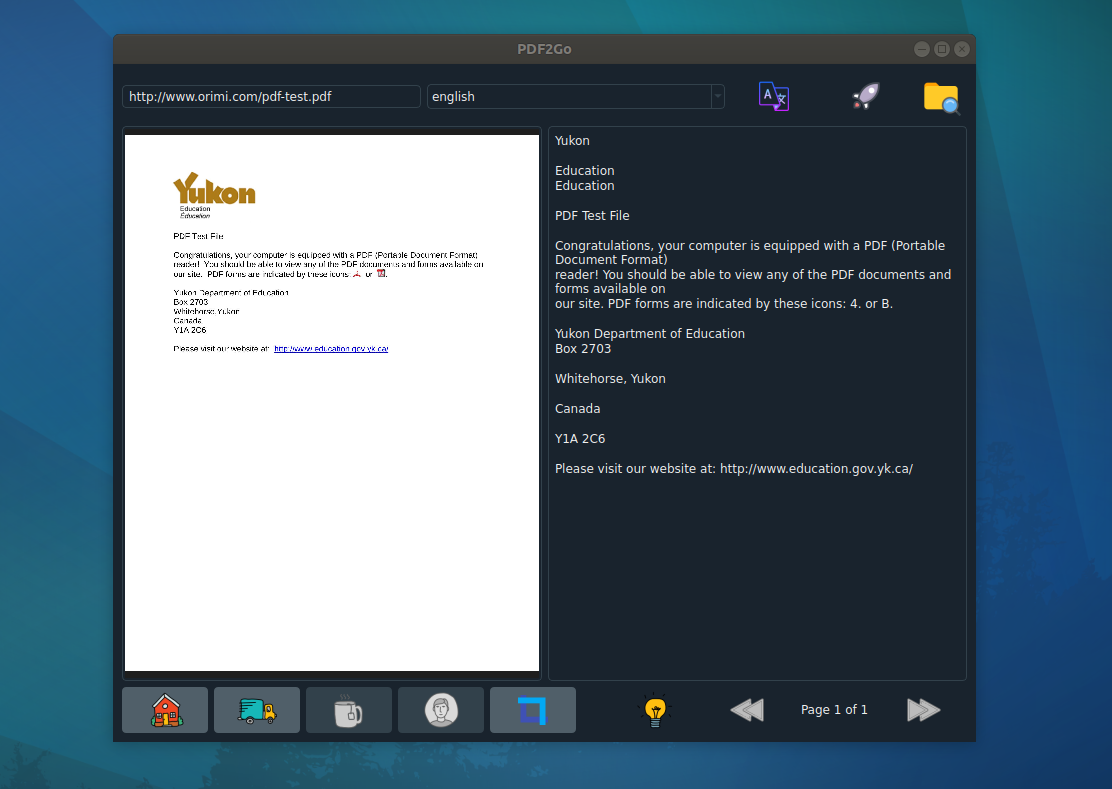
Point it at a remote PDF or image instead of downloading first.
Page-by-page
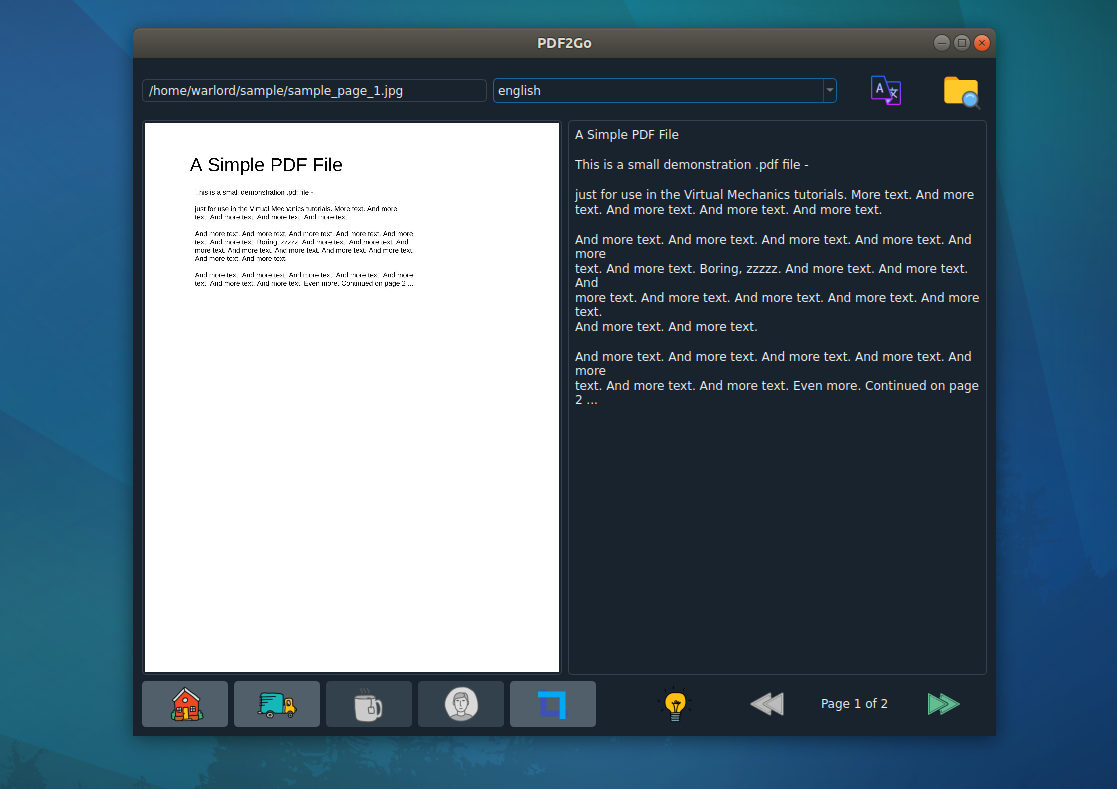
Step through a multi-page document and see the text for each page.
Translate the output
Convert extracted text into another language in the app.
Export to .txt
Save the recognised text as a plain text file.
Caching
Previously processed pages load back quickly.
Runs offline
OCR happens locally — scanned documents never leave your machine.
Open source
MIT licensed, written in Python and PyQt5.
Supported input
- Documents
- PDF · scanned PDF · multi-page PDF
- Images
- JPG · JPEG · PNG · BMP · TIFF · GIF · WebP
- Sources
- Local files · folders · direct URL
- Output
- Editable text on screen · plain text (.txt) export · translated text
Common tasks
| Task | What PDF2OCR does |
|---|---|
| Extract text from a scanned PDF | OCR every page and read the text alongside the original. |
| Convert an image to text | Drop in a JPG or PNG screenshot and pull the text out. |
| OCR a photographed document | Works on phone photos of receipts, invoices and pages. |
| Get text from a PDF at a URL | Paste the link — no separate download step. |
| Save the results | Export the recognised text to a .txt file. |
| Translate a scanned page | Extract the text, then translate it in the app. |
| Digitise a book chapter | Page through a long PDF and collect the text. |
Screenshots
Frequently asked questions
Is PDF2OCR free?
Yes. It is free to install from the Snap Store, and the source is MIT licensed.
Does it send my documents anywhere?
OCR runs locally with Tesseract on your own machine, so scanned documents stay on your computer. The optional translate feature and opening a file by URL do use the network.
What file types can it read?
PDF files, including scanned and multi-page PDFs, plus JPG, JPEG, PNG, BMP, TIFF, GIF and WebP images.
Is there a page limit?
No. It handles PDFs with an unlimited number of pages.
Can it translate the extracted text?
Yes — the recognised text can be translated into another language inside the app.
How accurate is the OCR?
It uses Tesseract, so accuracy depends on the source. Clean 300 DPI scans read very well; low-resolution photos and unusual fonts read less well.
Can I export the text?
Yes, as a plain text (.txt) file.
Why is the snap called pdf2go?
The application shipped under the name PDF2Go before it was renamed, and the snap name cannot be changed without losing existing installs. `snap install pdf2go` is correct.
Is it available for Windows or macOS?
Not currently — the packaged build is Linux only. The source is Python and PyQt5, so it may run elsewhere, but that is untested.
Other apps by Warlord Softwares
| App | What it does |
|---|---|
| FormatLab | Video & Audio Converter for Linux and Windows |
| 4KTUBE | YouTube Downloader for Linux and Windows |
| 4KWALL | Wallpaper Manager & Auto Wallpaper Changer |
| DL-YouTube | Media Downloader for 1400+ Sites |
| TUBE2GO | One-Click YouTube Downloader with System Monitor |
| JPEG2PDF | Image to PDF Converter for Linux |